

Drum Replacement.
Reimagined.
Meet Drumagog 6 — the next generation of intelligent drum replacement. Rebuilt from the ground up, it gives producers and engineers precise triggering, editable drum hits, intelligent sample matching and powerful kit-wide replacement tools.
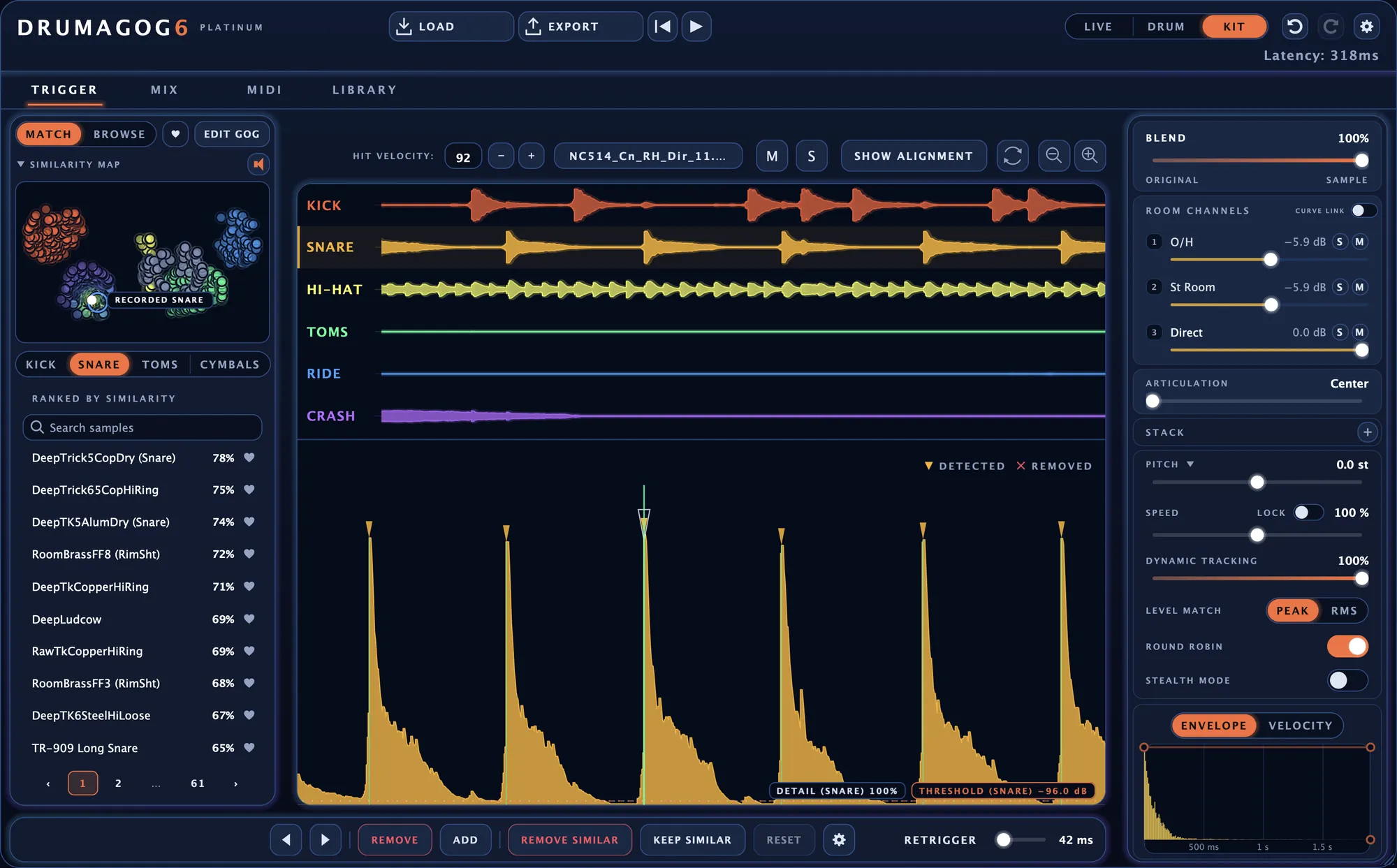
Drumagog 6 Platinum — Kit Mode interface
More control. Less correction.
Drumagog 6 combines intelligent detection with detailed editing tools, helping you transform drum recordings without losing the performance behind them.
Accurate Triggering
Identify individual hits, recover subtle ghost notes and remove unwanted triggers with precision.
Intelligent Sound Matching
Find drum samples that complement your original recording using automatic similarity ranking.
Full Creative Control
Edit hit timing and velocity, shape your samples, export MIDI and build custom drum sounds.
Every hit, right where you need it.
Drum replacement starts with accurate detection. Drumagog 6 identifies drum hits and displays them directly on the waveform, making it easier to see exactly what’s happening.
Fine-tune the threshold, move individual hits, adjust velocity or add missing triggers. When unwanted bleed produces false hits, REMOVE SIMILAR and KEEP SIMILAR help clean up entire groups of triggers.
- Visual waveform-based editing
- Adjust hit timing and velocity
- Recover quiet ghost notes
- Remove unwanted triggers in batches
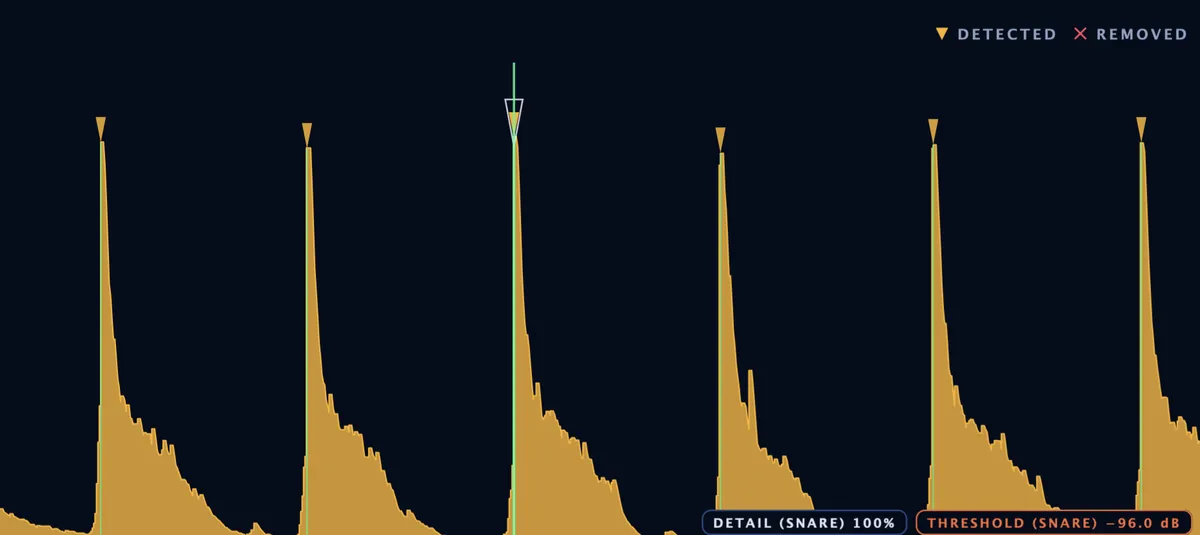
The right tools for every session.
From low-latency recording to detailed mixing and complete drum kit replacement.
Live Mode
Ultra-low-latency triggering designed for live performance and recording sessions where immediate response matters.
Drum Mode
Advanced single-drum detection with look-ahead analysis and editable hit markers for precise drum replacement.
Kit Mode
Replace an entire drum kit from one instance, with independent trigger lanes and mixing controls for each drum.
Find the perfect drum sound, faster.
Stop spending valuable studio time searching through endless samples. Drumagog 6 analyses your recorded drum and ranks compatible GOG sounds according to their similarity.
Explore sounds visually using the interactive similarity map, audition potential replacements and discover samples that naturally complement the original performance.
- Automatic sound similarity ranking
- Visual sample navigation
- Quick auditioning of drum sounds
- Support for existing GOG libraries
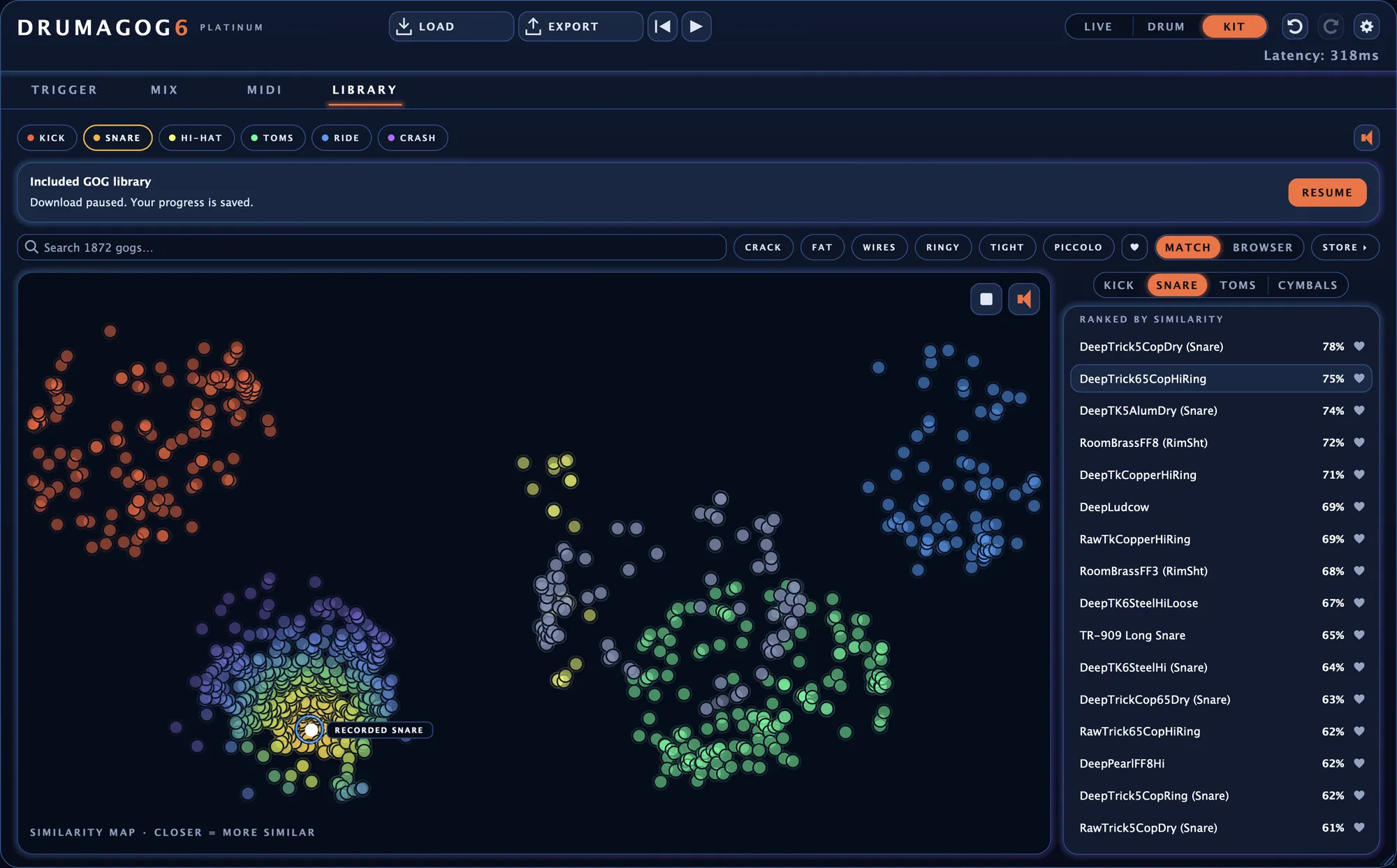
Shape your sound without breaking your workflow.
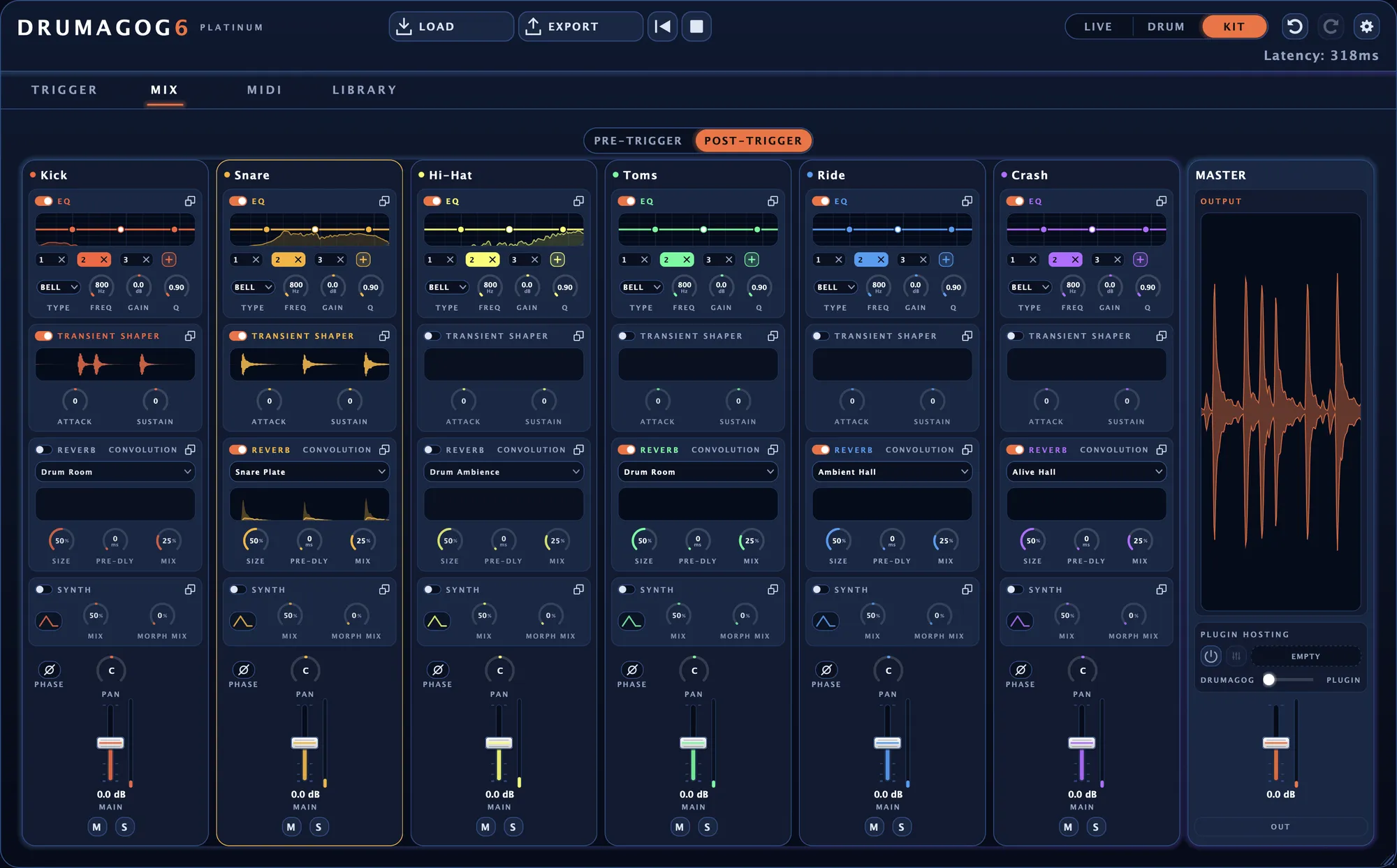
Drumagog 6 gives you dedicated controls for preparing the incoming audio and processing the replacement samples.
Use EQ and the built-in synth layer to develop your drum tone. Platinum expands your options with a gate, transient shaper, convolution reverb and additional sound-shaping capabilities.
- Pre-trigger and post-trigger processing
- EQ and integrated synth layer
- Transient shaping (Platinum)
- Convolution reverb (Platinum)
- Sample stacking (Platinum)
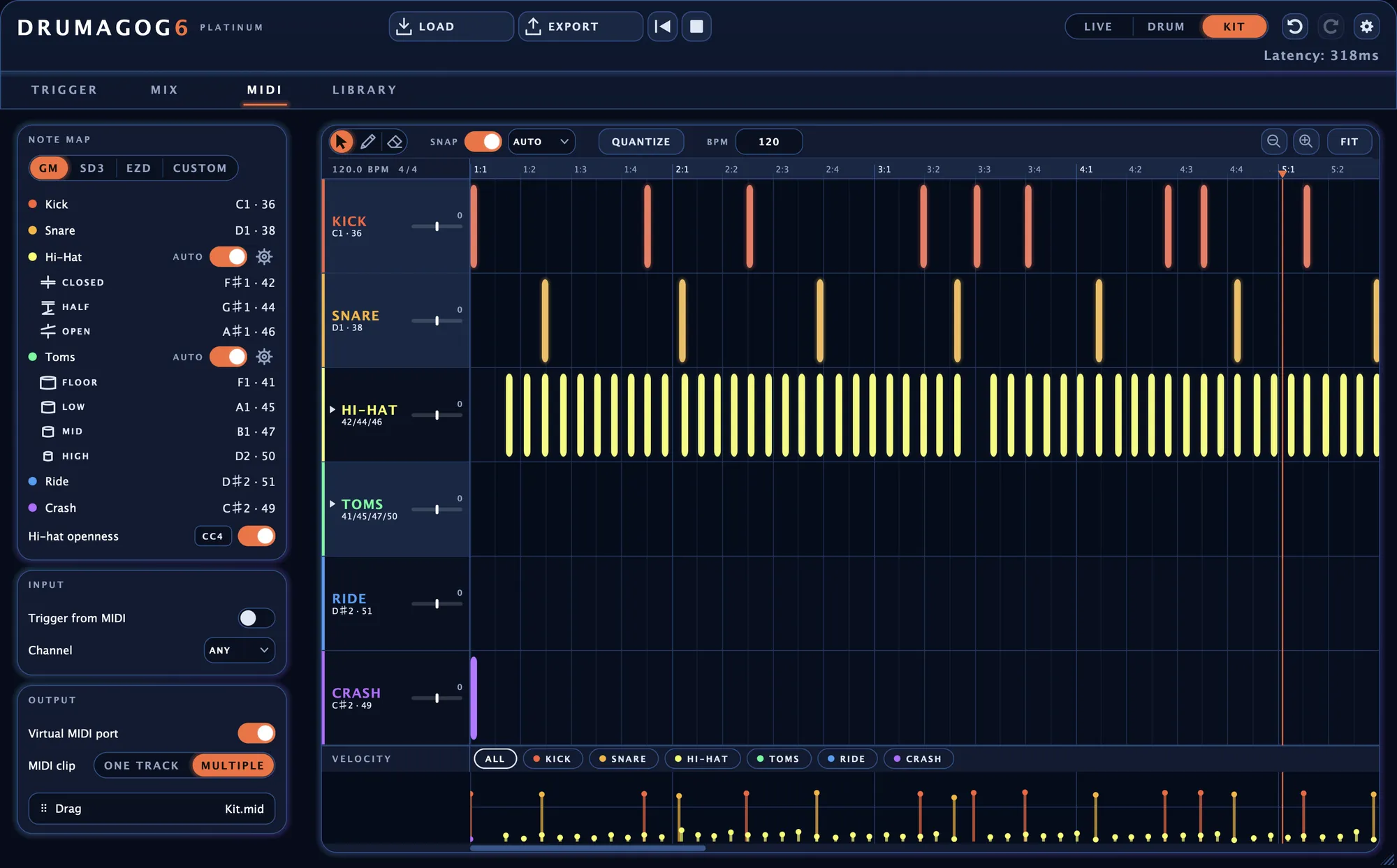
Turn drum performances into editable MIDI.
Every detected drum hit can become a MIDI note. Drumagog 6 includes an integrated piano roll for reviewing and editing notes directly inside the software.
Drag MIDI clips into your DAW, trigger external drum instruments or use built-in mappings for popular drum software.
- Integrated MIDI piano roll
- Drag-and-drop MIDI export
- MIDI input and output
- General MIDI and Toontrack mappings
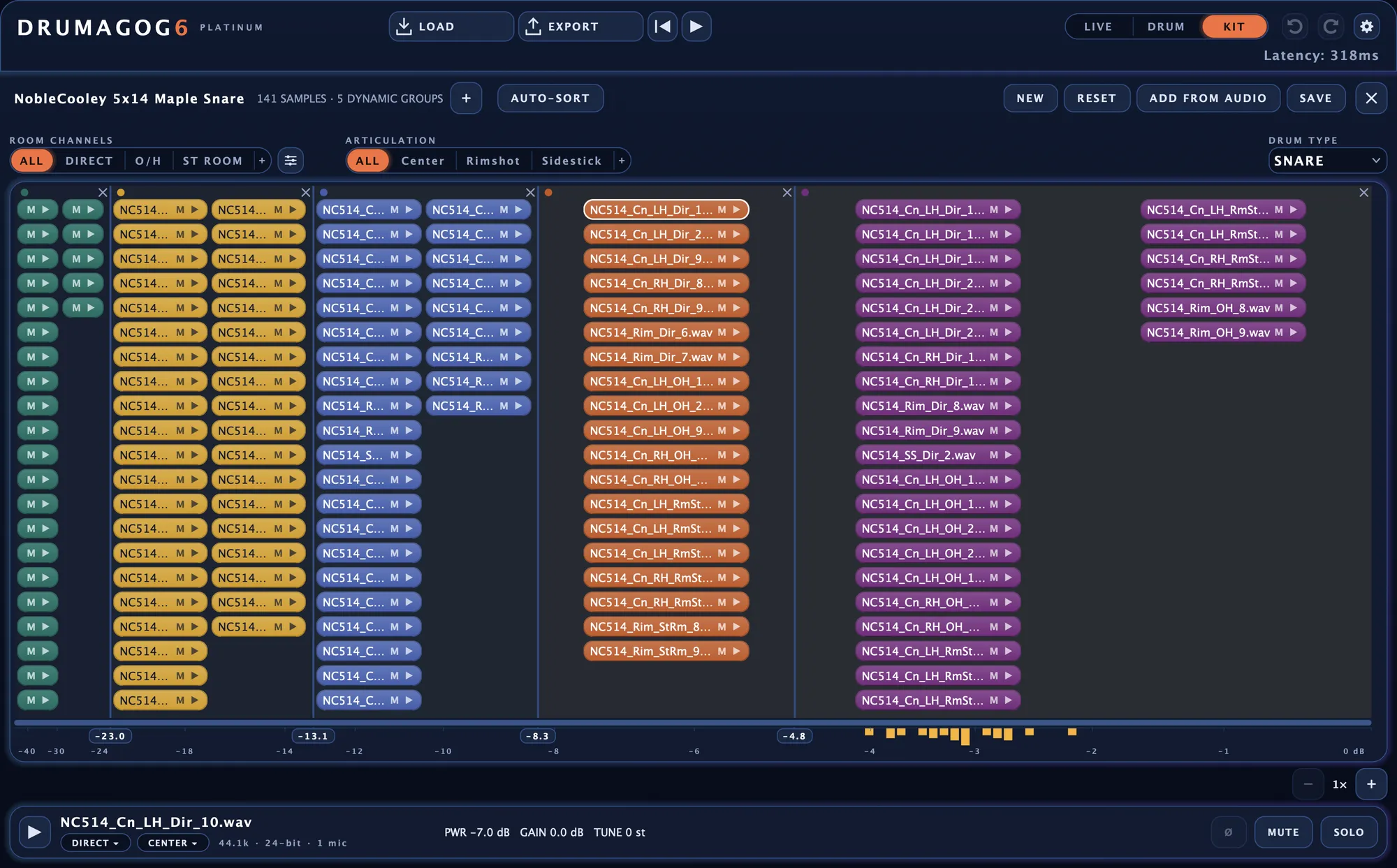
Your drums. Your samples. Your sound.
Create your own GOG instruments using recorded drum samples. Drag a folder of audio files into Drumagog and let the software organise the samples by dynamics.
The integrated GOG editor gives you control over trimming, fading, dynamic groups, articulations and room channels.
- Build GOGs from existing samples
- Extract samples from audio recordings
- Automatic sample trimming and sorting
- Detailed sample editing
More reasons to make Drumagog part of your studio.
ARA 2 Integration
Analyse audio in compatible DAWs without waiting for the entire track to play through.
Standalone Operation
Open audio recordings, replace drums and export a WAV file without launching a DAW.
Legacy GOG Support
Continue using GOG libraries created for earlier versions of Drumagog.
Natural Dynamics
Dynamic tracking, velocity curves and sample variation help retain the musical feel of each performance.
Flexible Sound Design
Tune samples, adjust playback speed and tailor envelopes to create the drum tone your production needs.
Local Processing
Audio processing happens directly on your computer, with offline operation following activation.
Drumagog 6 Pro or Platinum?
Two powerful editions designed for different production needs. Both include the core Drumagog 6 workflow.
Drumagog 6 Pro
Precision single-drum replacement with advanced triggering, editing, MIDI and sound-shaping tools.
- Live and Drum modes
- Editable waveform trigger markers
- Intelligent sample matching
- Integrated MIDI piano roll
- MIDI export and output
- EQ and synth layer
- Custom GOG creation and editing
- Full factory GOG library
- VST3, AU, AAX and standalone app
Drumagog 6 Platinum
Everything in Pro, plus advanced full-kit replacement, additional processing and sample layering.
- Everything included in Pro
- Complete drum kit replacement
- Six independent drum channels
- Automatic hi-hat and tom tracking
- Transient shaper and gate
- Convolution reverb
- Sample stacking with STACK
- Morph|Engine sound shaping
- Third-party instrument hosting
System Requirements
Designed to integrate into modern macOS and Windows production environments.
Please check the manufacturer’s latest specifications for current compatibility.